


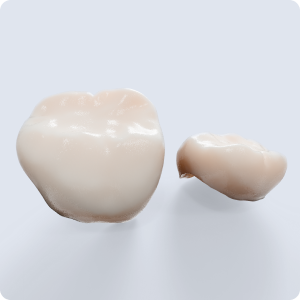

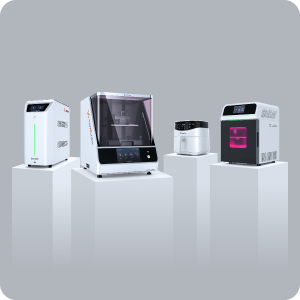


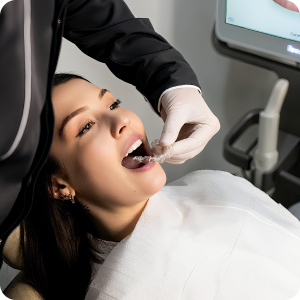
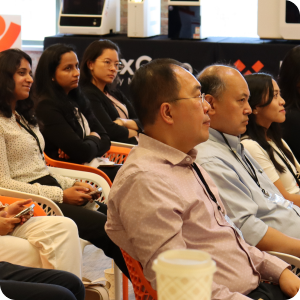
Train your team beyond aligners: nightguards, flippers, and dental models.
The iLux Pro Dental isn’t only for aligners. The same one-click workflow lets trained staff produce nightguards, flexible partials (flippers), and dental models in-house, while the doctor stays focused on patients.
One workflow, more applications, same team.
Staff who run aligner production already know most of the workflow: LuxFlow print preparation, the iLux Pro Dental print queue, and wash and cure. Training for other dental applications builds on that foundation. It adds the resin, design, and finishing steps specific to each appliance, so a practice can add new services without hiring a new team.
What staff learn for each application
Same-day nightguards your team can own
DNG resin and Digital Polishing™ reduce manual finishing, so nightguards are well suited to staff-run production.
- Importing scans and reviewing AI-generated nightguard designs (about five minutes per design)
- Setting up DNG prints in LuxFlow with one-click supports
- Running the wash and cure steps and checking clarity and finish
- Final fit check and same-day hand-off to the doctor
Emergency and provisional partials, delivered in hours
LuxCreo’s FDA 510(k)-cleared flexible partial workflow uses predictable presets, so it needs minimal training.
- Uploading intraoral scans and requesting designs from LuxCloud expert designers
- Selecting validated flexible partial and teeth resins
- Printing and post-processing with an injection-mold-like finish
- Quality checks before the doctor seats the appliance
Accurate restorative and orthodontic models on demand
DMR III resin and LuxFlow one-click batching help staff print models quickly and repeatably.
- Batching multiple models in LuxFlow
- Choosing horizontal or vertical print options for speed or capacity
- Washing, curing, and inspecting models for accuracy
- Organizing models for restorative and orthodontic cases
What stays with the doctor, what moves to the team
Clinical judgment
- Diagnosis and deciding which appliance is right
- Bite records and clinical design requirements
- Final design approval before printing
- Seating, adjustments, and patient follow-up
Production operations
- Scan import and design requests
- One-click print preparation and batching in LuxFlow
- Running the iLux Pro Dental print queue
- Wash, cure, finishing, and quality checks
- Labeling and hand-off to the clinical team
From first print to confident production
Hands-on training on your own system
LuxCreo trains staff on the equipment they’ll use every day, covering the shared workflow and the applications your practice plans to offer.
Start with one application, then add more
Many teams begin with the application they’ll use most, such as dental models or nightguards. They add flippers and other appliances as their confidence grows.
LuxAcademy, webinars, and workshops
Continued education through LuxAcademy, live webinars, and in-person workshops keeps skills current as you add materials and applications.
Support from specialists who know dental workflows
LuxCreo’s Customer Success team works with dental workflows every day, from nightguards to aligners. It engages the large majority of tickets within about an hour.
“Clinically, the material's flexibility, strength, and aesthetics stand out. Our patients love the translucency, which also significantly reduces our post-processing time. Minimal supports are needed, and the software and workflow are easy to adopt.”
Training questions, answered
Can dental staff run nightguard, flipper, and model production?
Yes. The same one-click LuxCreo workflow used for aligners covers nightguards, flexible partials (flippers), and dental models. Staff handle import, print preparation, printing, and post-processing, while the doctor keeps clinical decisions and final design approval.
Do we need separate training for each application?
The core skills are shared: LuxFlow print preparation, running the iLux Pro Dental, and wash and cure. Application-specific training then covers the differences, such as the resin, part orientation and supports, and finishing or fit checks for each appliance.
Is training included when we add an application to an existing system?
Talk with your LuxCreo specialist. Hands-on training is part of installation, and the Customer Success team can set up additional training when your practice adds nightguards, flippers, or models to an existing workflow.
Who designs the appliances?
Your team can use automated design tools, such as AI-generated nightguard designs in about five minutes, or send cases to LuxCreo’s expert design service for complex cases and urgent flippers.
What happens if something goes wrong mid-print?
LuxCreo’s Customer Success team engages the large majority of tickets within about an hour, so a stuck print or a design question doesn’t stall production for the day.
Plan training for the applications you want to offer
A LuxCreo specialist can walk you through what training looks like for nightguards, flippers, and dental models in your practice.
Details on this page reflect product and training information published by LuxCreo at the time of writing and are subject to change. Confirm current training program details directly with LuxCreo.