









January 30 |
10:00-11:00 am ET / 16:00-17:00 pm CEST
The Q&A session will also be moderated in real time
Unlock the Full Power of LuxDesign
Advanced Workflows of Cutout, Pontic and Attachment Library Features in the Software
W I T H Raj Shakay & Greg Johnson
Thanks for Joining the Webinar!
Complete the form below to watch the recording.
Unlock the Full Power of LuxDesign: Advanced Workflows for Precision Dentistry
Stop sticking to the basics. Learn the specific indications and workflows for Pontics, Cutouts, and Attachments to streamline your design process.
The Problem
Are you using LuxDesign to its full potential?
Most users master the basics of crown and bridge design quickly, but struggle when complex cases arise.
- Do you hesitate on when to use a solid pontic versus a conventional design?
- Do you find creating manual cutouts tedious and inaccurate?
- Are you ignoring the attachment library because it feels too complicated to navigate?
This advanced training bridges the gap between basic competency and expert efficiency.
What You Will Learn in This Webinar
In this 60-minute intensive session, we will break down the three most underutilized yet powerful features of the software. We don't just show you the buttons; we teach you the clinical logic behind them.

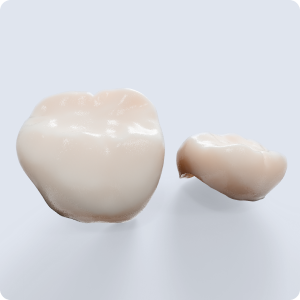
Solid Pontic Mastery
Achieve the perfect balance of aesthetics and structural integrity.
- The Indication: Learn exactly when a solid pontic is clinically required over other designs to prevent breakage and ensure hygiene.
- The Workflow: A step-by-step guide to contouring, smoothing, and positioning solid pontics for a natural look.
Precision Cutout Workflows
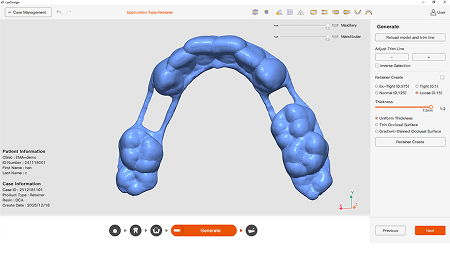
Manage intersections and overlapping anatomies with ease.
- The Indication: Understand the scenarios where cutouts are essential for passive fit and complex connector designs.
- The Workflow: How to execute clean, precise cutouts without compromising the mesh quality of your design.

The Attachment Library Deep Dive
Stop designing attachments from scratch.
- The Indication: Matching the correct attachment type to the specific retention needs of the case.
- The Workflow: How to import, scale, and position attachments from the library instantly, saving you valuable design time.
About Your Host


Your guides for this advanced session are two pivotal figures from LuxCreo who perfectly bridge the gap between software innovation and practical application. We are thrilled to welcome Raj Shakay, Director of Product & Material, who brings deep insight into the technical vision and material science driving the LuxDesign ecosystem, alongside Greg Johnson, Director of NA Customer Success, whose extensive experience supporting users ensures that today's training is grounded in real-world efficiency. Together, they offer a comprehensive perspective that combines the technical "why" behind these advanced features with the practical "how" of mastering them in your daily workflow.